Guide updated: 29 October 2026.
VizMaker for Rhino connects model views to AI rendering and visual development for architecture, interiors and product design. A Rhino model can establish a complex form precisely, while VizMaker helps explore how that form might read in a finished image: its material character, surroundings, light and presentation mood.
For a designer working on a pavilion, a sculptural interior or a furniture concept, the challenge is often communication. Curvature and proportion are visible in the model, but a client may still struggle to imagine the experience. An image-based AI workflow adds a visual layer to that discussion while the source geometry remains under the designer’s control.
Send a Rhino view into VizMaker
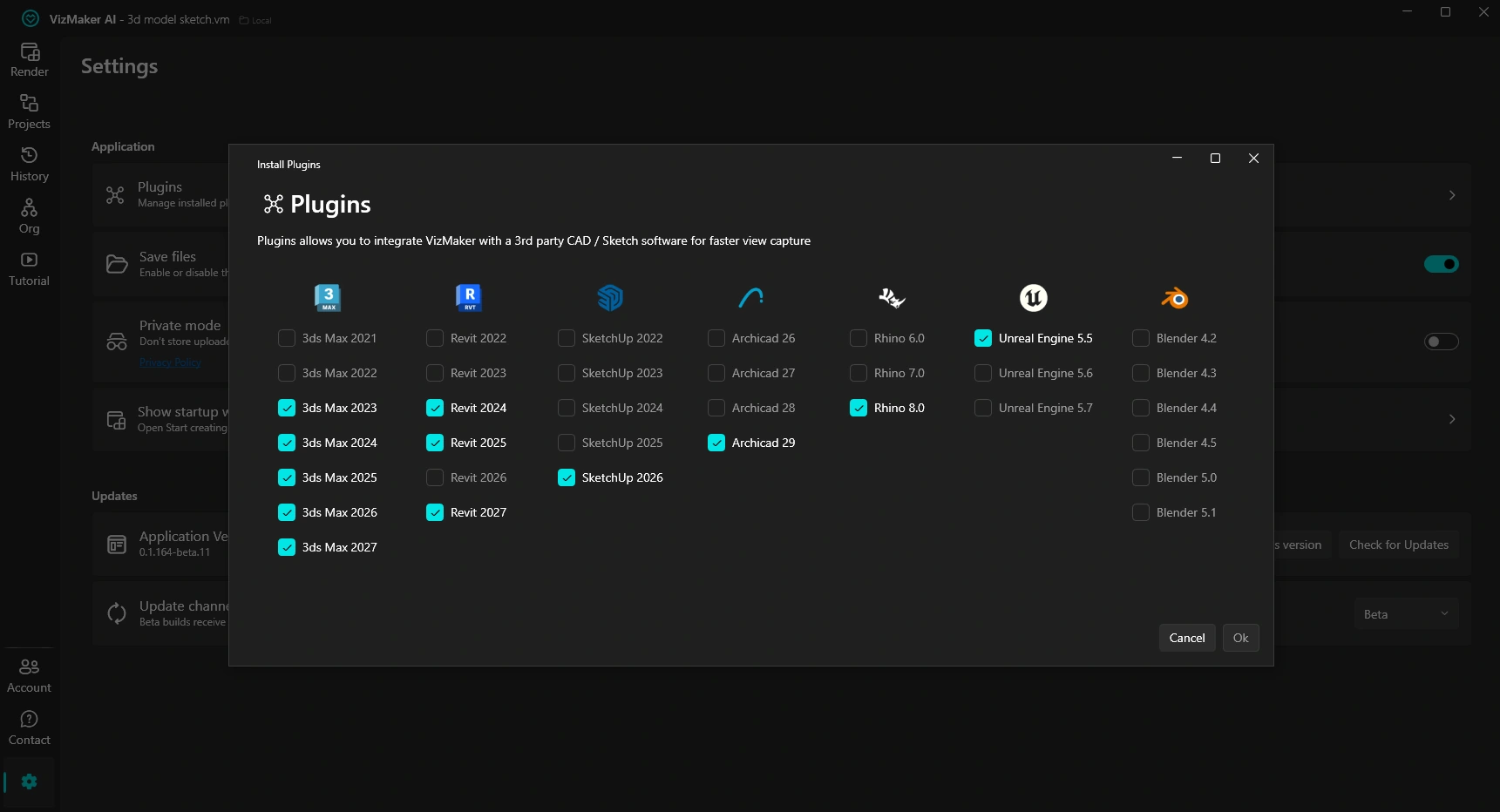
Install the integration through VizMaker Settings > Plugins, selecting the Rhino version offered for your setup. Reopen the host application if required. The supplied guide shows the Rhino integration on a working architectural model, with a VizMaker toolbar command for transferring the view.
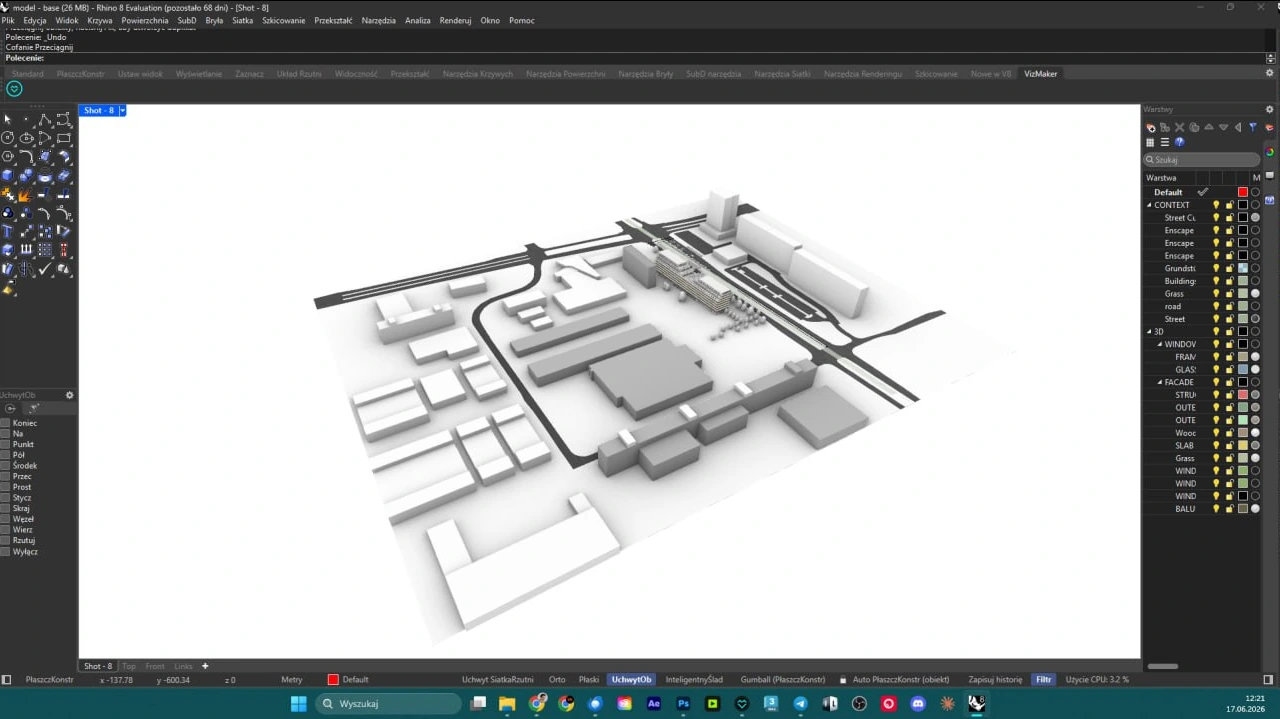
Compose the view before sending it. A useful camera angle should explain the main silhouette, openings and relationship to the ground or neighbouring forms. Keep the source visually clear enough for someone outside the modelling process to understand the design question.
In VizMaker, select the source image, choose Image Editor and an available engine, then develop it with a preset or a written brief. The documented connection is a model-view workflow. It does not establish live editing of Rhino NURBS surfaces or a Grasshopper definition.
Explore material character without rebuilding the concept for every image
AI rendering for Rhino is useful when the form is established but its expression remains open. A curved pavilion could be explored with a timber character, a quieter mineral finish or a more reflective appearance. A furniture concept could be presented with different upholstery and surroundings before a direction is selected.
Use a focused prompt, such as: “Present this pavilion in a landscaped courtyard with warm timber surfaces and soft morning light; retain the silhouette, openings and camera composition.” Then compare the image with the model. Generated details may change the reading of an edge, support or surface junction, so the designer should decide whether those changes are intentional.
Present the same form in different settings and moods
A concept review may need to explain more than one moment. How does a public pavilion feel on an overcast day? Does a glazed interior remain inviting at night? VizMaker’s connected image branches let a single source lead to several atmosphere studies while retaining the original view for comparison.
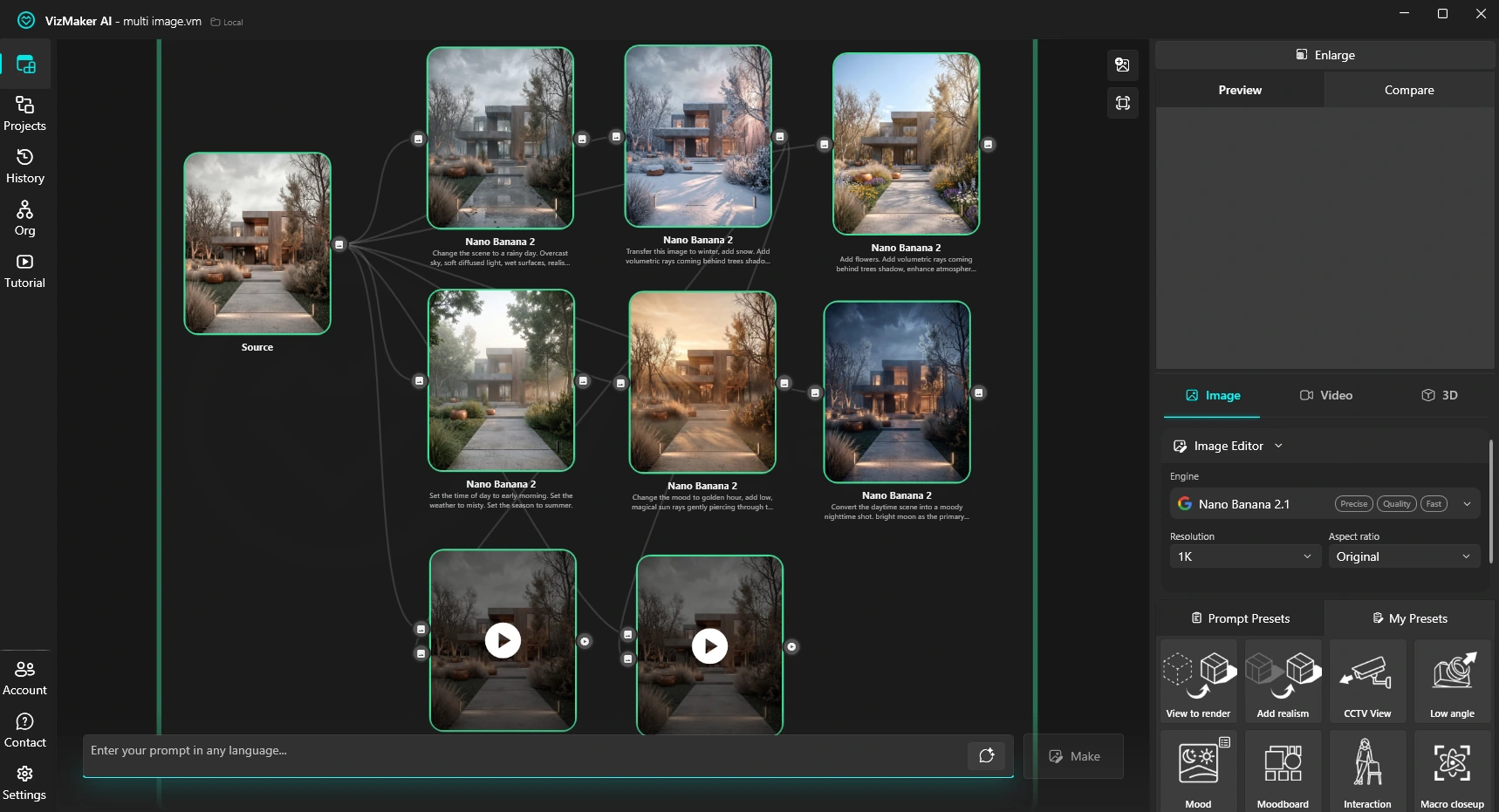
The supplied workspace demonstrates rain, snow, daylight, warmer sun and night-time treatments of one exterior. For Rhino users, these are examples of the shared image tools available after view transfer. Use a small set of relevant alternatives and keep the geometry visible enough to judge how each mood supports the design.
Bring product and furniture concepts into an image-to-3D workflow
Visual exploration can also work in the other direction: from a sketch or object image towards a mesh. VizMaker’s 3D Model Creator includes engines such as Tripo 3D and Meshy AI. The supplied chair example shows a sketch becoming a developed image, followed by a generated 3D object.
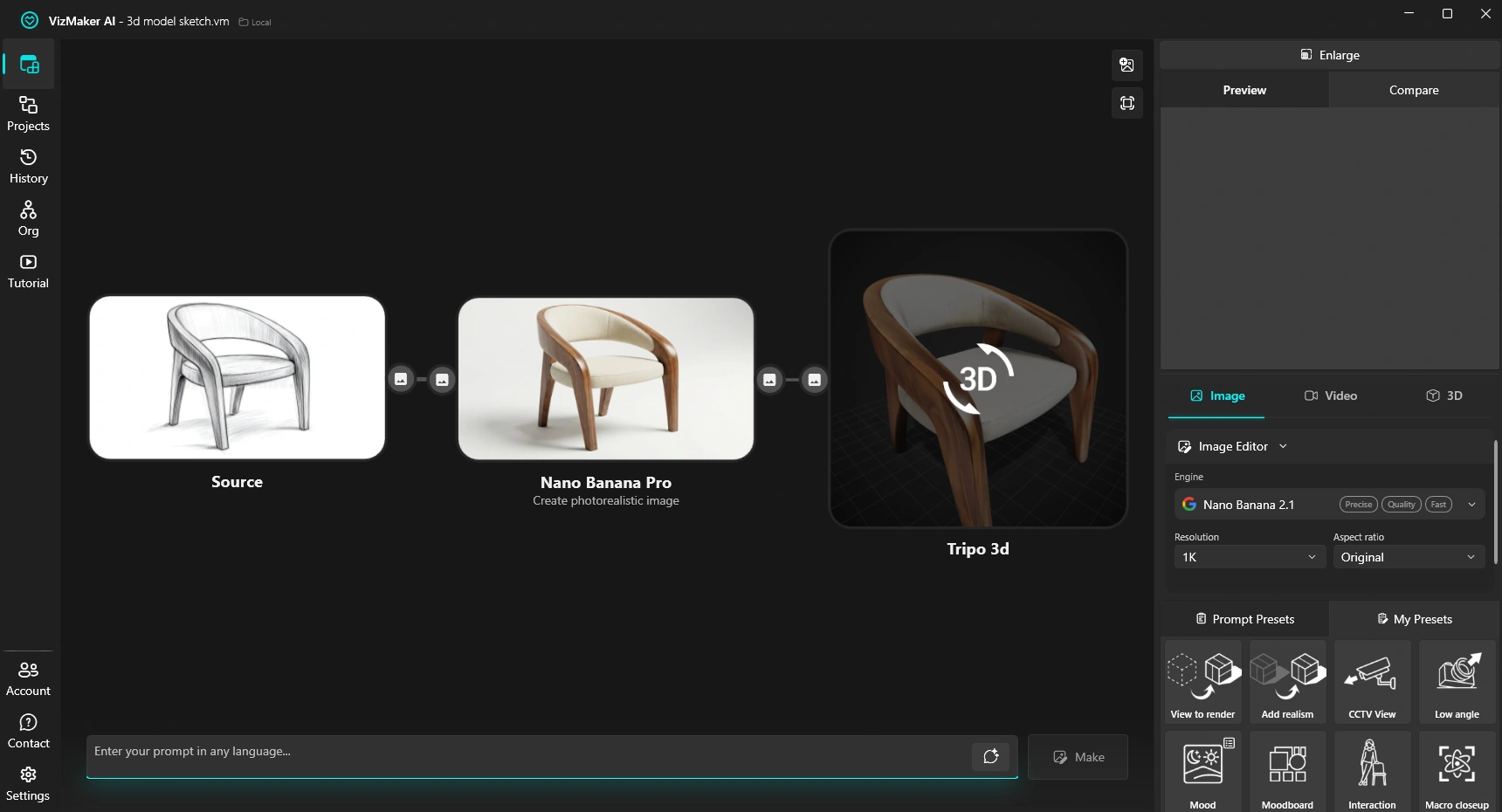
Prepare a clean reference with a neutral background and a readable silhouette. Generate the object, inspect its unseen sides and export an appropriate format; the guide includes OBJ as an option. Check dimensions before using the result in an architectural scene.
A generated mesh can be a useful visual asset or a reference for further design work. It should not be assumed to contain native Rhino surfaces, a useful parametric history or manufacturing-ready geometry. If the object will be fabricated, resolve its construction, tolerances and surface quality in the appropriate modelling workflow.
Upscale selected architectural and product images
Once a visual direction is approved, AI image upscaling can prepare it for a larger presentation and develop apparent surface detail. The guide describes Pro Upscaler and Magnific options. The choice depends on whether the image needs restrained refinement or a more creative interpretation.
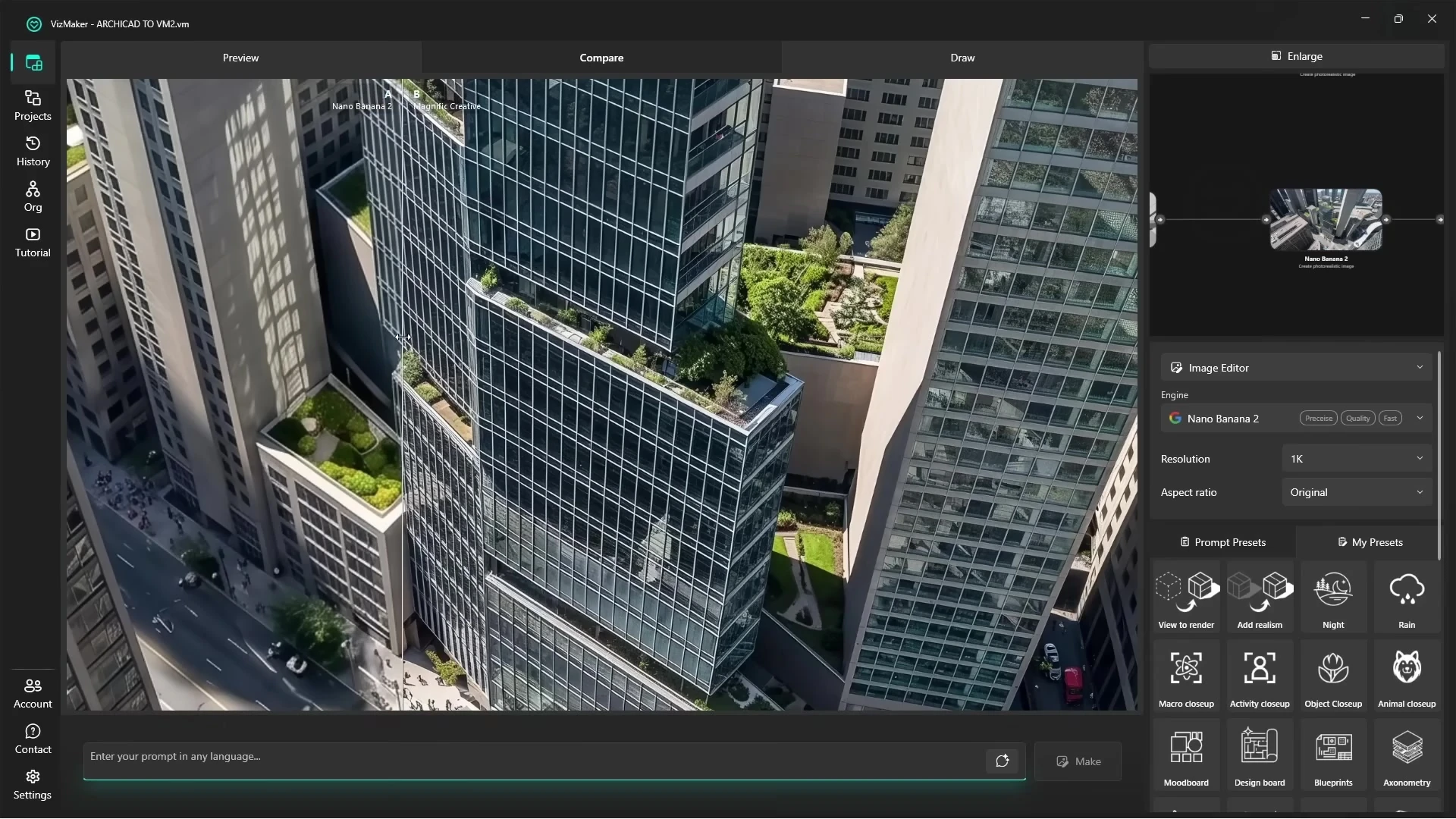
The video frame shows the shared VizMaker finishing stage on an architectural exterior. For a Rhino concept, pay particular attention to curved outlines, repeated ribs and material joints. Compare the enhanced version with the source at full size so added texture does not conceal or change the form you are presenting.
Animate a design idea for a presentation
AI architectural animation can turn a selected still into a short sequence. Use Video Creator to describe one purposeful movement: reveal the pavilion from the landscape, approach a seating area or move towards a material detail. Engines that support two input frames can use prepared start and end images to guide a transition.
Assess whether the silhouette, supports and openings stay consistent throughout the shot. A generated video communicates an idea; an exact camera path, physically controlled lighting or a measured inspection may require a scene-based animation workflow. Choose the output around what the audience needs to understand.
A useful place for AI in the Rhino design process
For teams comparing Rhino rendering tools, VizMaker adds an image-development stage between a model view and a presentation. Use it to explore and explain the design, then carry approved changes back into the source model. The accompanying tutorial demonstrates these common VizMaker tools using Archicad; the Rhino connection is documented in the guide screenshot above.
Frequently asked questions
What does the VizMaker Rhino integration transfer?
The guide documents sending a working model view into VizMaker. This gives the AI image workflow a visual input from the Rhino design.
Does VizMaker edit Rhino NURBS or a Grasshopper definition?
That is not part of the workflow documented here. It develops images from views; changes to the underlying Rhino geometry or parametric definition remain a separate modelling step.
Can I animate a Rhino design concept with VizMaker?
Yes. A developed concept image can become the input for Video Creator, using a described camera move or a supported two-frame transition.
Are generated 3D objects native Rhino surfaces?
The guide describes generated mesh assets and export formats such as OBJ. Do not assume that a generated object contains editable NURBS surfaces or manufacturing-ready geometry.
Continue your VizMaker workflow
Explore other VizMaker integrations: 3ds Max · Revit · Archicad · SketchUp · Blender · Unreal Engine
Bring your next Rhino view into VizMaker
Download VizMaker, install the integration for your setup and explore AI rendering, image editing, upscaling, animation and 3D creation from one workspace.
Download VizMakerAbout this guide: VizMaker was created by designer Wojciech Jurkowski. This article draws on the supplied VizMaker Guide Ebook, original application screenshots and the VizAcademy UK Archicad tutorial. The cover is an AI-generated editorial illustration; the in-article software screenshots and video frames show the real application. Interface details, available engines and supported host versions can change. Check the current plugin manager and VizMaker website for your setup.

The Ins And Outs of 3D Product Rendering – From Definition To The Model Creation
What is 3D Product Rendering? What does it consist of? How to 3D render a product? Today, I would like to touch on all these topics and share with you my story related to this methodology.

Telephones, cars, furniture, buildings - everything is constantly being redesigned and remade. Everything that is made or remade is initially modelled in 3D. Blueprints are initially created and agreed upon by sharing. Modelling is therefore crucial to manufacture.
VizMaker AI Render Editing: Masks, Materials and Local Upscaling
Edit selected areas of architectural renders with VizMaker. Explore layer masks, local upscaling, reference materials, RAL colour choices and 3ds Max VFB.