This AI architectural modelling case study follows a skyscraper from schematic drawings to an urban presentation. An AI assistant builds a simplified 3ds Max model, exports it to Google Earth and sends selected views to VizMaker for rendering, animation and upscaling.
The result illustrates a useful division of work: automation handles parts of modelling and presentation production, while the designer reviews geometry, placement and the quality of the final images.
The brief: turn architectural information into a city-scale concept
The video uses a complex tower inspired by One Thousand Museum by Zaha Hadid. The input includes a PDF with schematic information, a target location and access to the visualisation workflow.
The assistant, identified in the recording as GPT Astra, creates an approximately 200-metre tower. The tutorial reports about 15 minutes for the modelling stage. Treat that as the timing of this particular demonstration, not a general production estimate for every building.
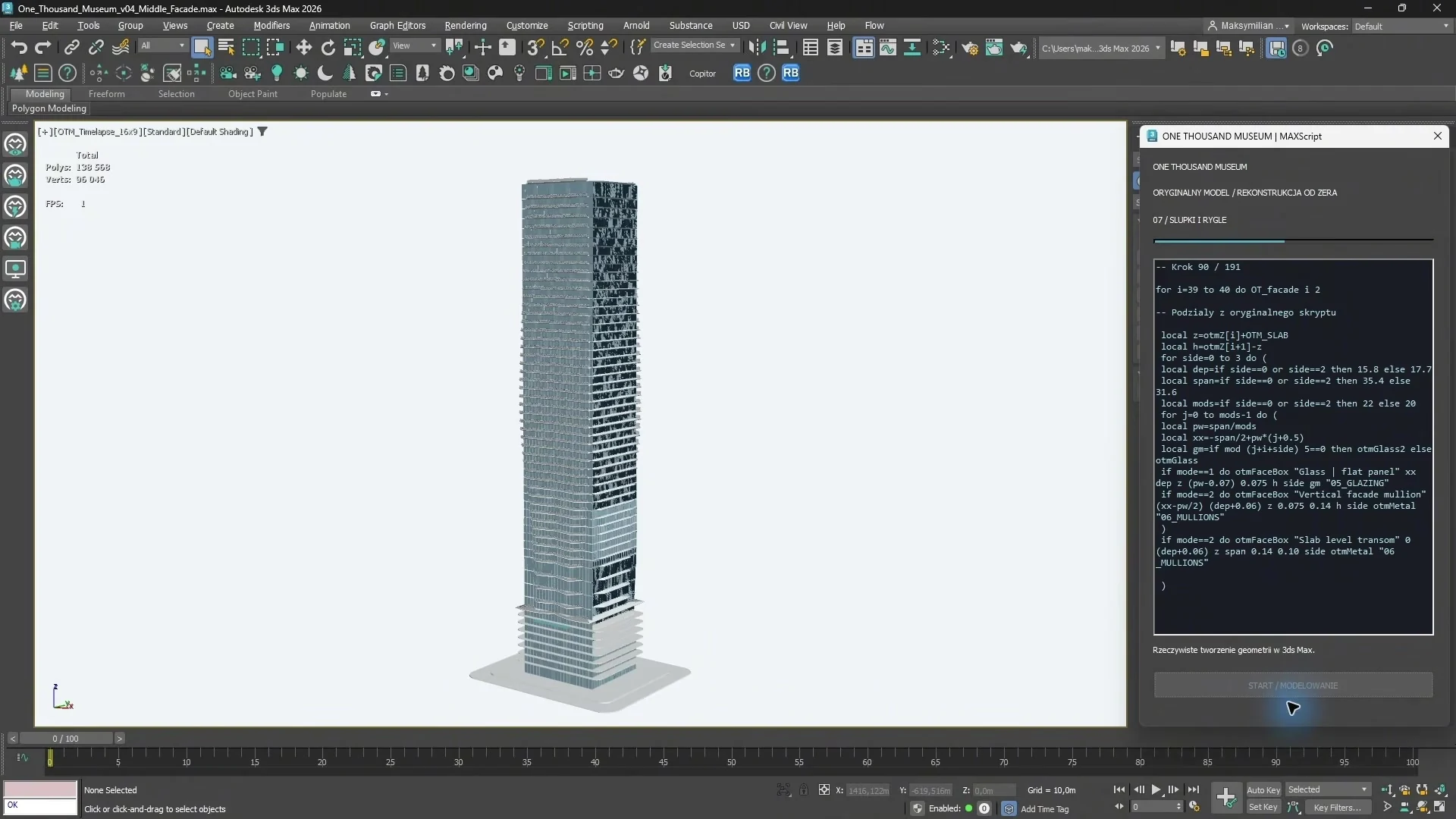
Inspect the model before judging the finished render
A polished image can make a rough model look more complete than it is. The video deliberately switches to wireframe to examine the result. The model is light and organised into named layers for elements such as the façade, floors and glass, but the geometry remains simplified and imperfect.
That distinction matters for AI-generated architectural models. A massing or distant city view may work well with simplified geometry. A façade close-up, technical detail or production model may require substantial additional work.
The useful review questions are practical: does the silhouette communicate the concept, are important elements separated sensibly, and is the geometry adequate for the camera distances you will actually use?
Place the building in context and check its orientation
The model is exported as GLB and placed at the requested Google Earth location. This connects the building to its surrounding city and makes it easier to prepare contextual camera views.
The recording also identifies a clear mistake: the tower reaches the intended plot but is not rotated to align properly with it. This is exactly the kind of issue a designer must catch before a contextual view is used in a presentation.
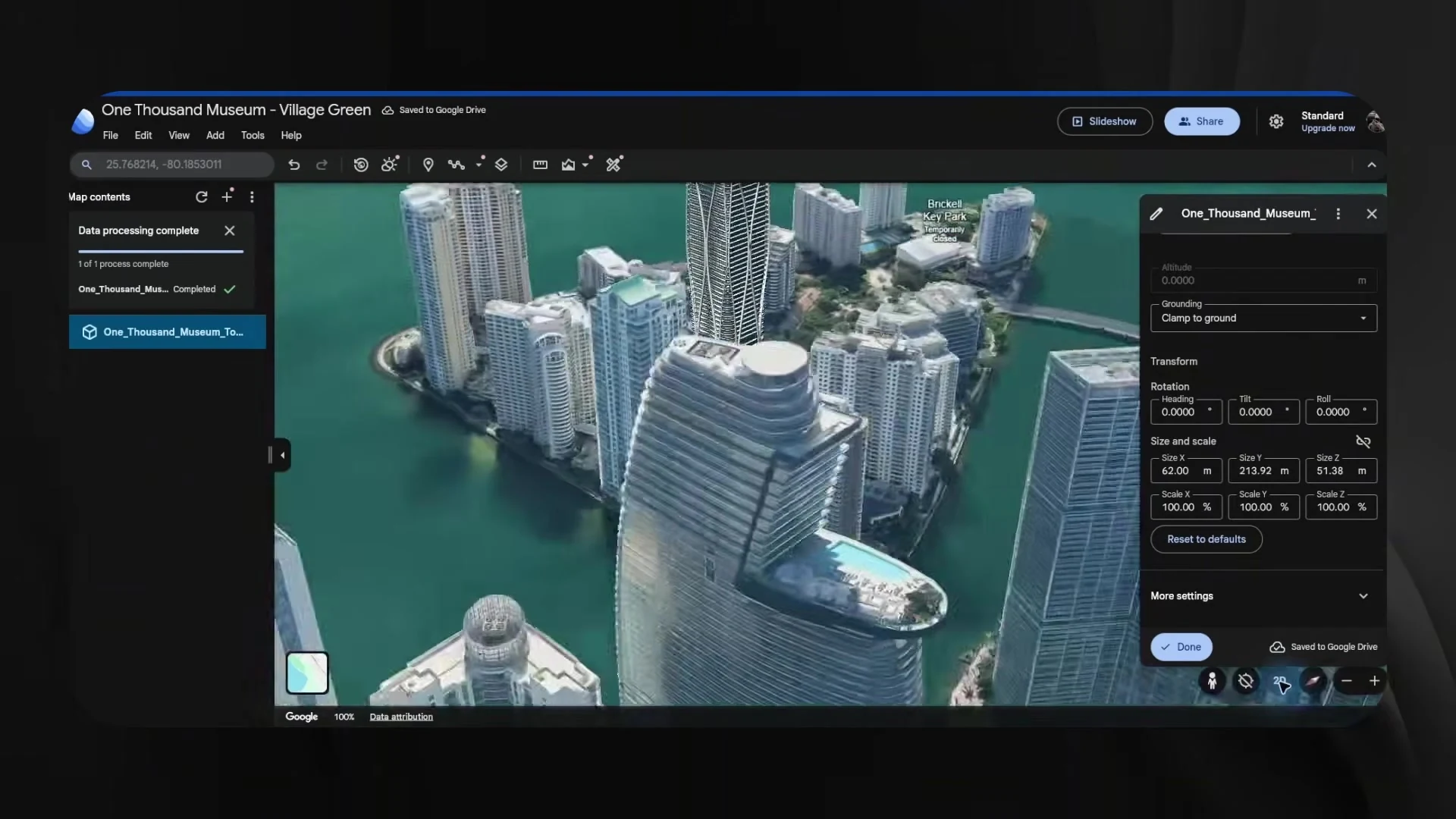
For urban architectural visualisation, check position, orientation, scale and the relationship to the street. A convincing setting is useful only when it supports the actual project context.
Develop the views with VizMaker
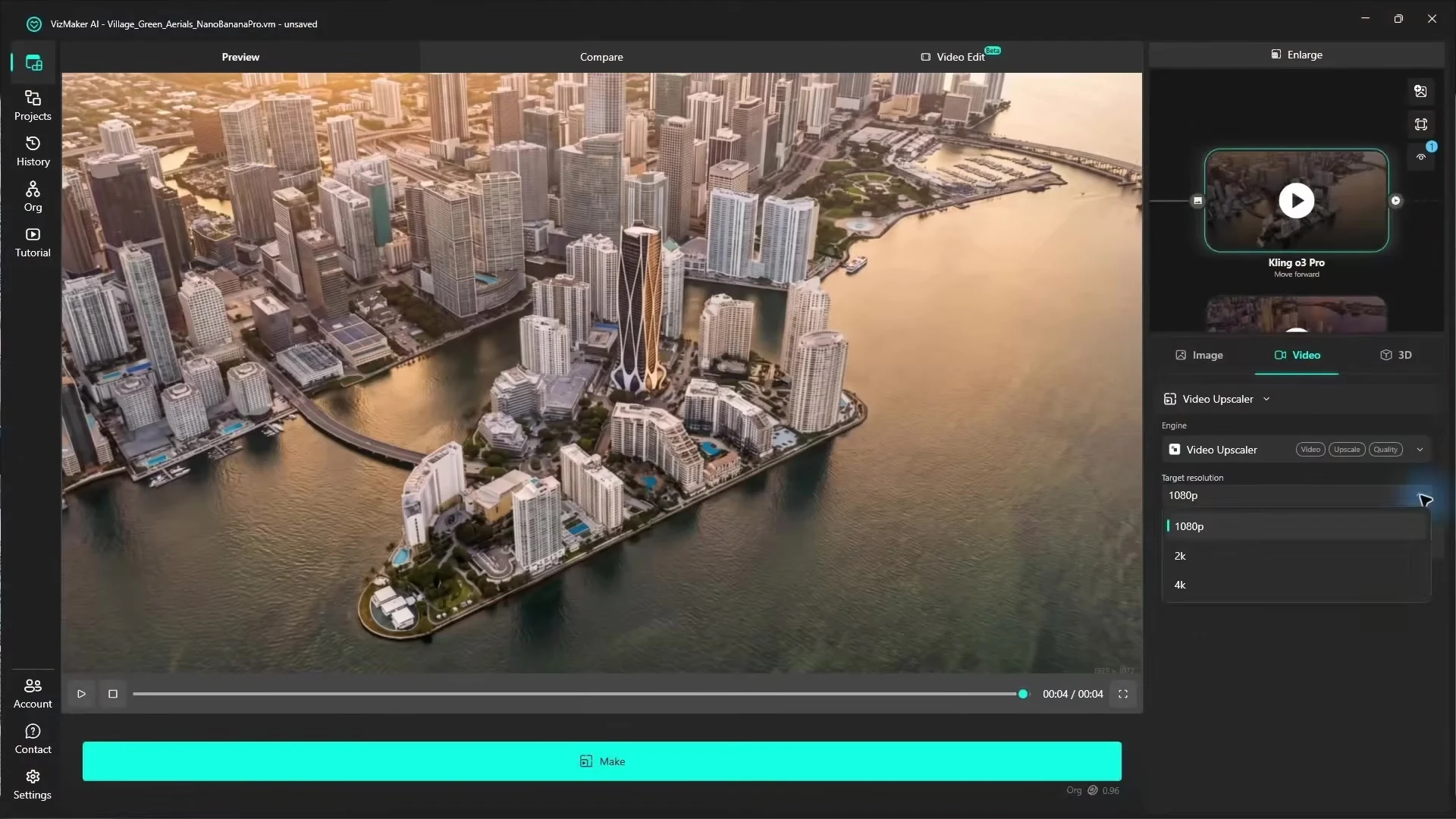
After three camera views have been prepared, the workflow sends them to VizMaker and uses Nano Banana Pro at 4K in the demonstrated setup. The images are developed with additional lighting and surface detail, then used to generate forward-moving shots.
The video is subsequently upscaled. This creates a presentation sequence from the contextual views without treating the initial model as a finished visualisation asset.
What the time comparison really tells us
The presenter describes the overall exercise as taking roughly 45 minutes, including modelling, placement, image generation, animation and finishing. The same account notes that export and Google Earth placement were slower than a skilled artist might manage manually.
The lesson is not that every automated step is faster. The potential benefit is reducing the amount of continuous manual attention required, while retaining review points for important decisions. A designer may choose to handle a troublesome export or orientation step directly and still use AI for the rest of the presentation.
Where this approach fits in an architectural workflow
This method is best understood as AI-assisted concept visualisation: exploring a building in context and preparing images for discussion. It can support early communication with a client or developer, especially when distant views communicate the main idea.
Keep detailed modelling, dimensional checks and project documentation separate from the visual interpretation. The recording’s own criticism of the mesh is a useful reminder that a strong presentation and a fully resolved building model are different deliverables.
Frequently asked questions
What was the input for the skyscraper case study?
The recording describes schematic architectural information in a PDF, a target location and access to the modelling and visualisation workflow.
Was the generated tower a finished production model?
No. The tutorial shows simplified, imperfect geometry that suits some distant concept views but needs more work for detailed or close-up use.
What did VizMaker contribute to the presentation?
VizMaker developed contextual views into visualisations, generated moving shots and upscaled the video after the model had been placed in the city.
Continue your VizMaker workflow
- Image to 3D Model with VizMaker: Furniture, Sketches and Scene Assets
- VizMaker Live Preview: Turn 3D Viewport Motion into AI Animation
Try this workflow in VizMaker
Start with a source image or project that you know well, follow the demonstration and compare the result against your design brief.
Download VizMakerVideo source: GPT ASTRA 6 Turns Architectural Drawings into a Parametric Skyscraper in 15 Minutes! | VizMaker, published 9 October 2026. Tutorial published by VizAcademy UK. All screenshots above were extracted from this recording. This guide describes the demonstrated workflow; available models, interface details and offers may change. Visit the official VizMaker website for current product information.
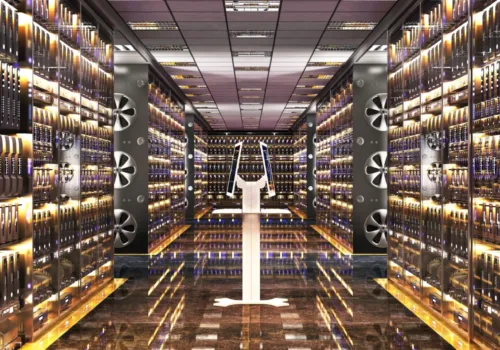
VizAcademy answers your questions: "What is a render node?", "What is a render farm?" To find out what a render node or a render farm (which is not a farm that has been rendered! ;) are, let’s first look at what rendering is and how it’s done.

How to make a world class 3D landscape model or 3D garden model?
Trying to make a 3d landscape model or 3d garden model? Anxious about modeling irregular landscape features manually from scratch? We can help! In this article you will find three good methods to make a world class 3d landscape or 3d garden model you can be proud of.

VizAcademy answers your questions: "How do I make my 3ds files smaller? 3d Max rendering files can get big quickly. Smaller render files are obviously easier and quicker to process and share. So how do you keep 3ds files small?