VizMaker is an AI workspace for architects, interior designers and visualisation studios. This short introduction presents five reasons to use it: developing alternatives, combining visual tools, keeping a clear project structure, reusing prompts and learning from practical tutorials.
Mike, a VizAcademy teacher, introduces it as an extension of the work designers already create. That is a useful way to approach AI tools for architectural visualisation: begin with a real project need, then choose the operation that helps move it forward.
1. Develop alternatives from an image you already have
A completed visualisation can be the beginning of another discussion. A client may want a different season, a revised atmosphere or additional presentation options without rebuilding the whole scene for each idea.
The video illustrates different seasonal treatments of a house. The practical benefit is the opportunity to compare directions from a shared source. The actual time and cost depend on the task, the settings and how many iterations are needed.

2. Connect images, video, upscaling and 3D assets
Architectural presentation work often crosses several formats. A concept may begin as an image, need more detail through upscaling, become a short animation or require a supporting 3D asset.
VizMaker brings these tools into the same workspace. For the designer, the advantage is being able to develop one idea through related stages while keeping the source material close at hand.
Choose the format around the communication problem. A detail image may explain a material better than a long video, while a short movement can help reveal a spatial relationship that a single frame leaves unclear.
3. Keep design variations connected through branches
The tutorial highlights VizMaker’s visual node workflow. Source images and generated results form connected branches, so you can see how one version led to another.
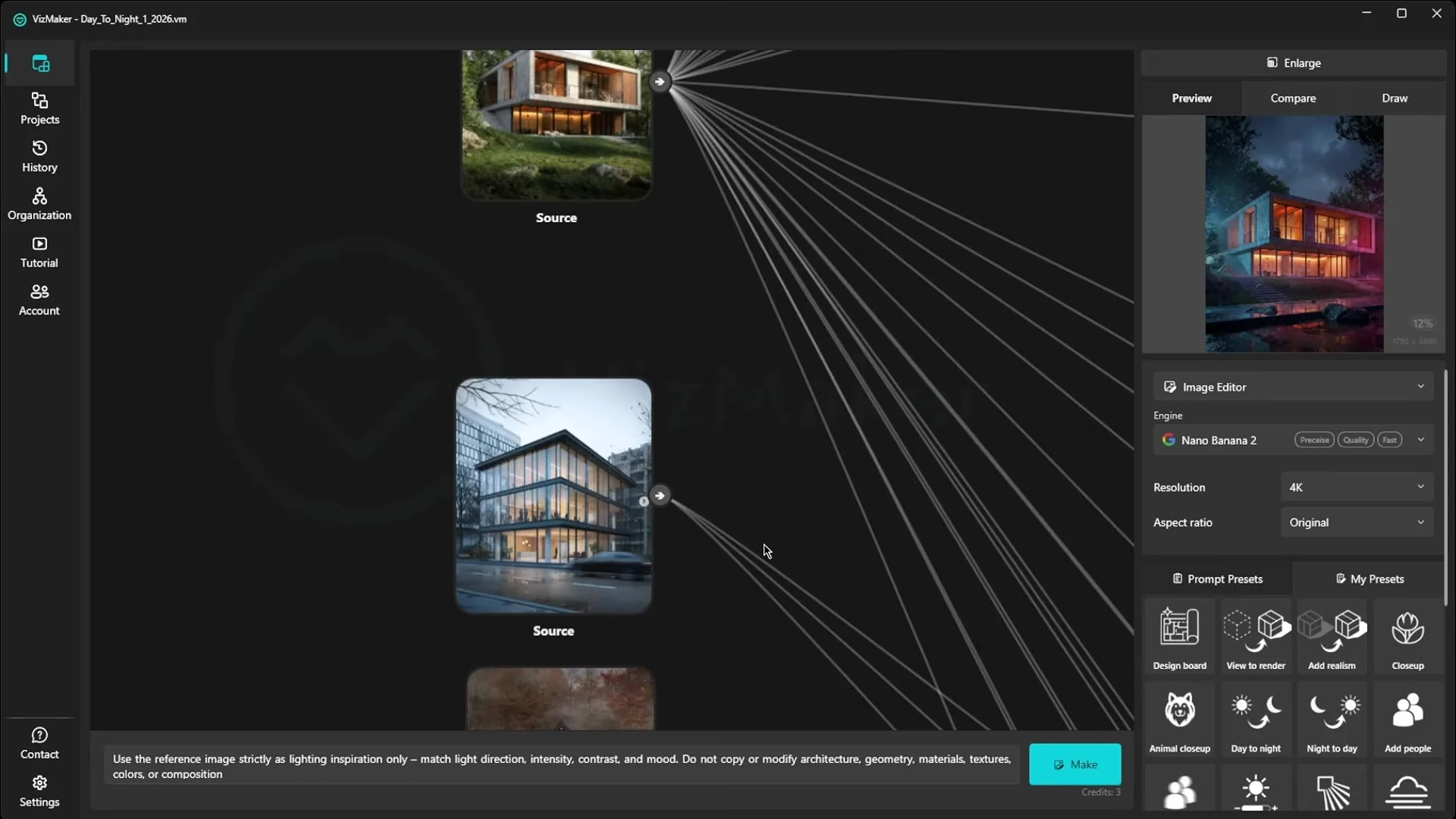
This becomes useful when an image develops into several client options. Keep each branch focused on a clear question—such as lighting, season or material—and return to the source when you need a different direction.
4. Save prompts that work for your projects
You can write your own instructions, use prepared presets and save prompts for reuse. This helps reduce repetitive setup for tasks that recur across projects.
Reusable AI prompts are most useful when you understand what they are intended to control. Keep the reusable structure, then adapt the materials, mood or other project-specific requirements. A saved prompt is a starting point for consistent work, not a guarantee that every image will behave identically.
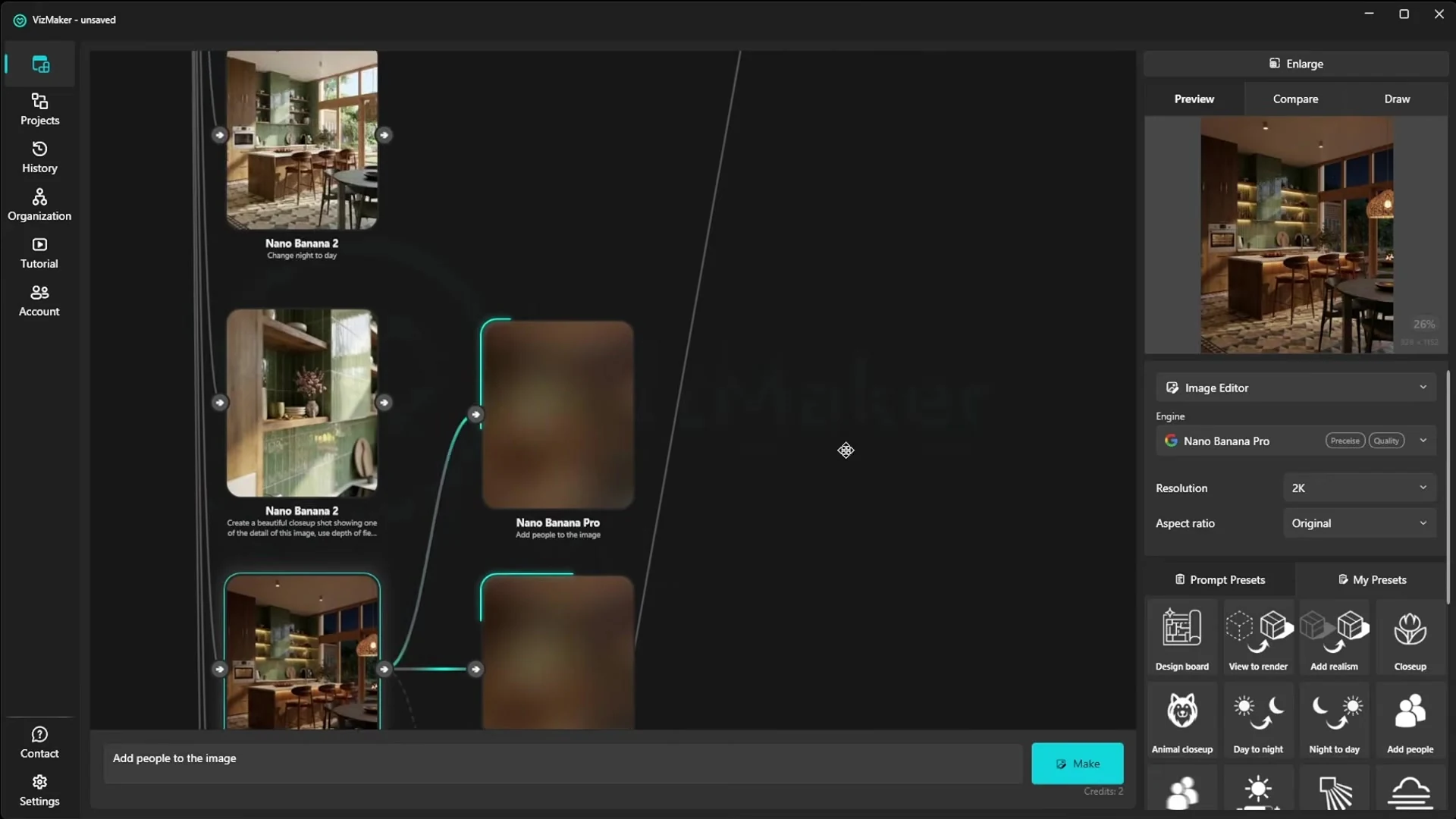
5. Learn from complete examples
The fifth reason is access to free tutorial material on the VizAcademy YouTube channel. The recording highlights guided examples, project files and prompts that help explain how a result was made.
For someone adopting AI rendering for architects, a complete workflow can be more useful than a gallery of finished images. It shows the source, the editing decisions and the stages required to make the result presentable.
Choose one useful task for your first project
Start with a task you can judge clearly: create two seasonal options, improve a selected detail or develop one image into a short presentation clip. Compare the result against the original brief and keep the versions that improve communication.
This gives you a practical basis for deciding where VizMaker belongs in your workflow. The goal is to spend more of the project on design decisions and less on repeating the same visual setup.
Frequently asked questions
Who is VizMaker intended for?
The video presents VizMaker as a tool for architects, interior designers and visualisation studios that want to extend their existing visual work.
Does VizMaker replace the design and rendering process?
The tutorial describes it as an extension of what you already create. It supports alternatives, editing and presentation while the designer remains responsible for the project.
Can I save and reuse prompts?
Yes. The video describes writing custom prompts, using prepared presets and saving successful instructions for later projects.
Continue your VizMaker workflow
- From 3D Viewport to Client Presentation: An AI ArchViz Workflow
- Image to 3D Model with VizMaker: Furniture, Sketches and Scene Assets
Try this workflow in VizMaker
Start with a source image or project that you know well, follow the demonstration and compare the result against your design brief.
Download VizMakerVideo source: AI Rendering for Architects – 5 Reasons to Try VizMaker Today, published 24 March 2026. Presented by Mike, a VizAcademy teacher, in the original video. All screenshots above were extracted from this recording. This guide describes the demonstrated workflow; available models, interface details and offers may change. Visit the official VizMaker website for current product information.

How to make a world class 3D landscape model or 3D garden model?
Trying to make a 3d landscape model or 3d garden model? Anxious about modeling irregular landscape features manually from scratch? We can help! In this article you will find three good methods to make a world class 3d landscape or 3d garden model you can be proud of.
5 Reasons to Use VizMaker for Architectural Visualisation
See how VizMaker supports architectural visualisation with design variants, connected AI tools, reusable prompts, visual branches and free tutorials.

Explore Japandi, biophilic and mid-century interiors from ArchiCAD images in VizMaker. Compare material and style options before revising your design model.