The best AI video model for architecture depends on the shot you need to create. A camera orbit around a facade, people talking in a living room and a day-to-night transition place different demands on the generator. VizMaker brings several engines into the same workspace, allowing designers to compare results using their own project references.
In the source video, Adrian Mazur compares Google Omni, Seedance 2.0 and Kling 3.0 across five architectural scenarios. The article below explains his observations and how to use them when planning a visualisation. These are results from the demonstrated examples, rather than a universal ranking of every version or project.
What matters in an AI architectural animation?
A visually exciting clip still needs to represent the proposal clearly. For an architect or interior designer, the key questions are whether the camera follows a useful path, the architecture remains consistent and the requested activity fits the space.
Adrian uses comparable source material and, in the core comparisons, short clips at 720p. This makes it easier to discuss differences in behaviour rather than simply choosing the sharpest output. When repeating a comparison, align duration, framing and quality settings wherever the engines permit.
Five scenarios from the comparison
| Scenario | Result highlighted by Adrian | What to inspect in your project |
|---|---|---|
| Exterior camera orbits | Omni stays closest to the references; Seedance is comparatively settled; Kling shows more vegetation distortion. | Facade edges, windows, trees and continuity between shots. |
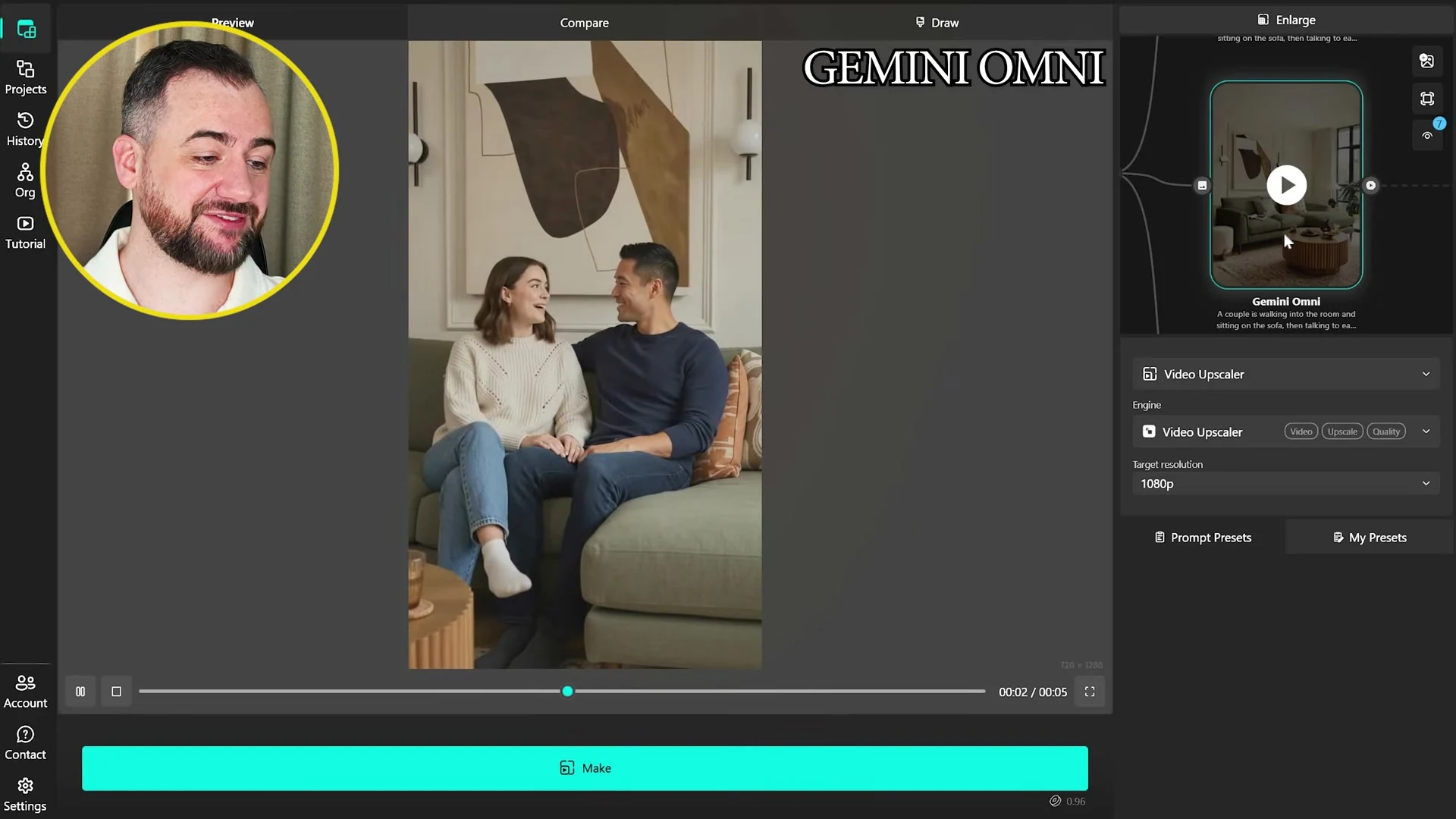
| People already visible in an interior image | Seedance gives the strongest result in this example. Kling shows facial artefacts; the Omni request does not complete. | Faces during movement and whether the room changes. |
| People entering an initially empty room | Omni is Adrian’s favourite for its camera treatment; Seedance also handles the people convincingly. | Body movement, furniture contact and the requested actions. |
| Exterior mood transitions | Kling is preferred for continuity. Omni needs a different approach because the source framing does not match its output options. | Matching framing at clip boundaries and unwanted changes to planting. |
| Camera movement combined with a mood change | Adrian gives Omni a slight lead, with Kling and Seedance close behind. | Occlusion, lighting transitions and stability while the camera moves. |
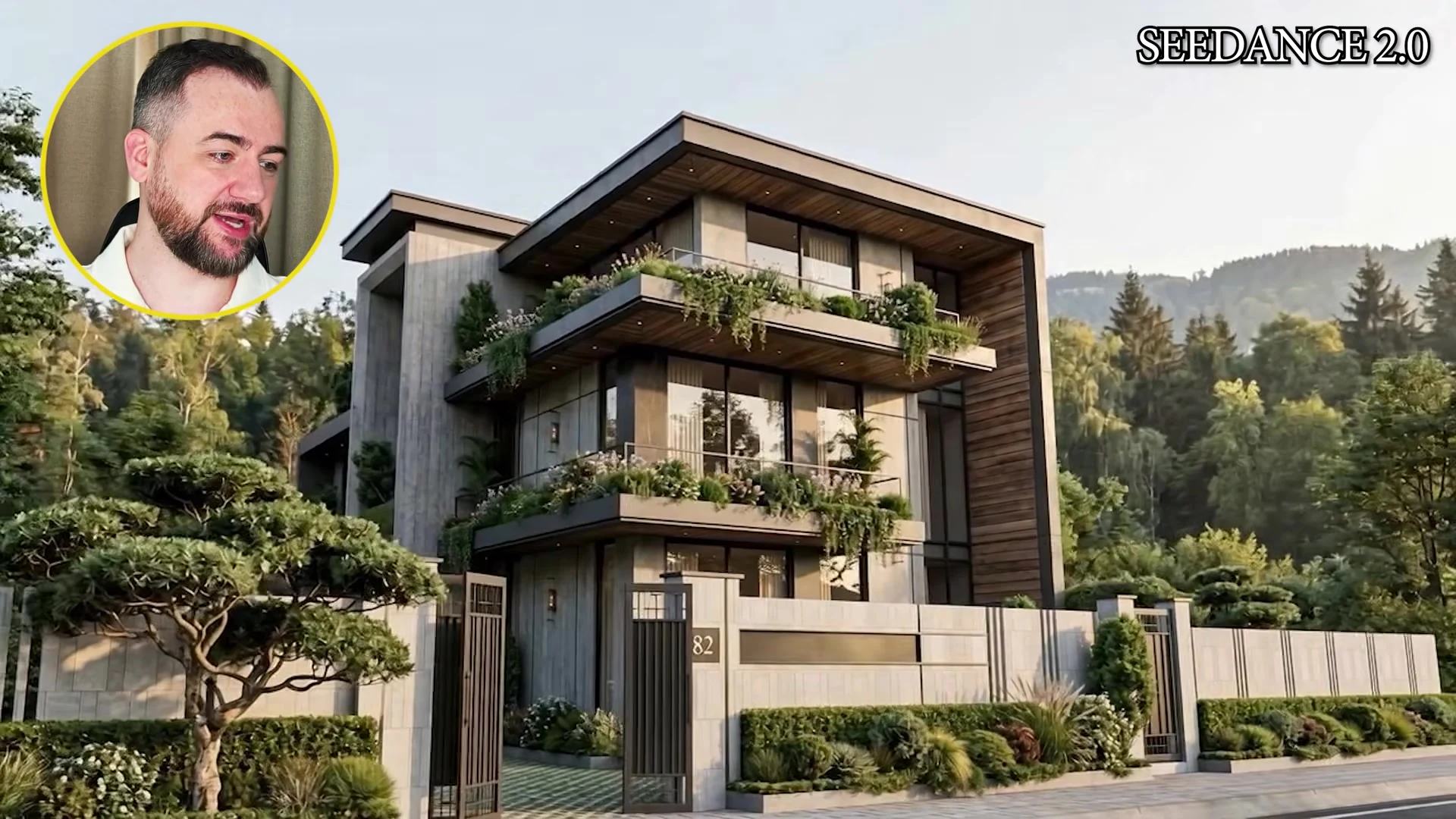
Geometry consistency: watch the edges of the frame
The exterior orbit example shows why AI video for architecture needs more than a quick glance at the central building. Planting near the camera and surfaces revealed during movement can expose changes that are less noticeable in a still frame.
Review the start, middle and end of a clip against the reference images. Pay attention to the rhythm of openings, rooflines and the relationship between the building and landscape. A small distortion can matter if it alters the element the client is meant to evaluate.
Animating people: distinguish the two starting points
The video separates animating people already present in an image from introducing generated people into an empty room. That distinction is useful when preparing your own reference material.
In Adrian’s existing-people example, the Omni generation is declined and he explains it in terms of restrictions around photorealistic faces. The empty-room example produces a result. This is an observation about those requests in the recorded version, so check the current engine behaviour for your intended input.
Seedance 2.0 performs well across both people scenarios in the tutorial. Adrian’s examples also suggest reviewing facial detail at the moments when someone turns, speaks or sits down, rather than judging only the first frame.
Mood transitions: prepare the framing before joining clips
For the lighting and weather sequence, Adrian uses foggy autumn, overcast, night and golden-hour references. These are relevant to architectural presentations because they show how a single design reads in different conditions.
His Omni clips initially add different amounts of surrounding image to fit the available aspect ratios. The building then fails to line up between clips. He demonstrates an alternative by including the references in one longer sequence.
The practical lesson is to establish consistent aspect ratios and image framing before making separate transitions. Decide which elements should change and which should stay fixed, then compare both the moving result and the joins between clips.
Which model should you try first?
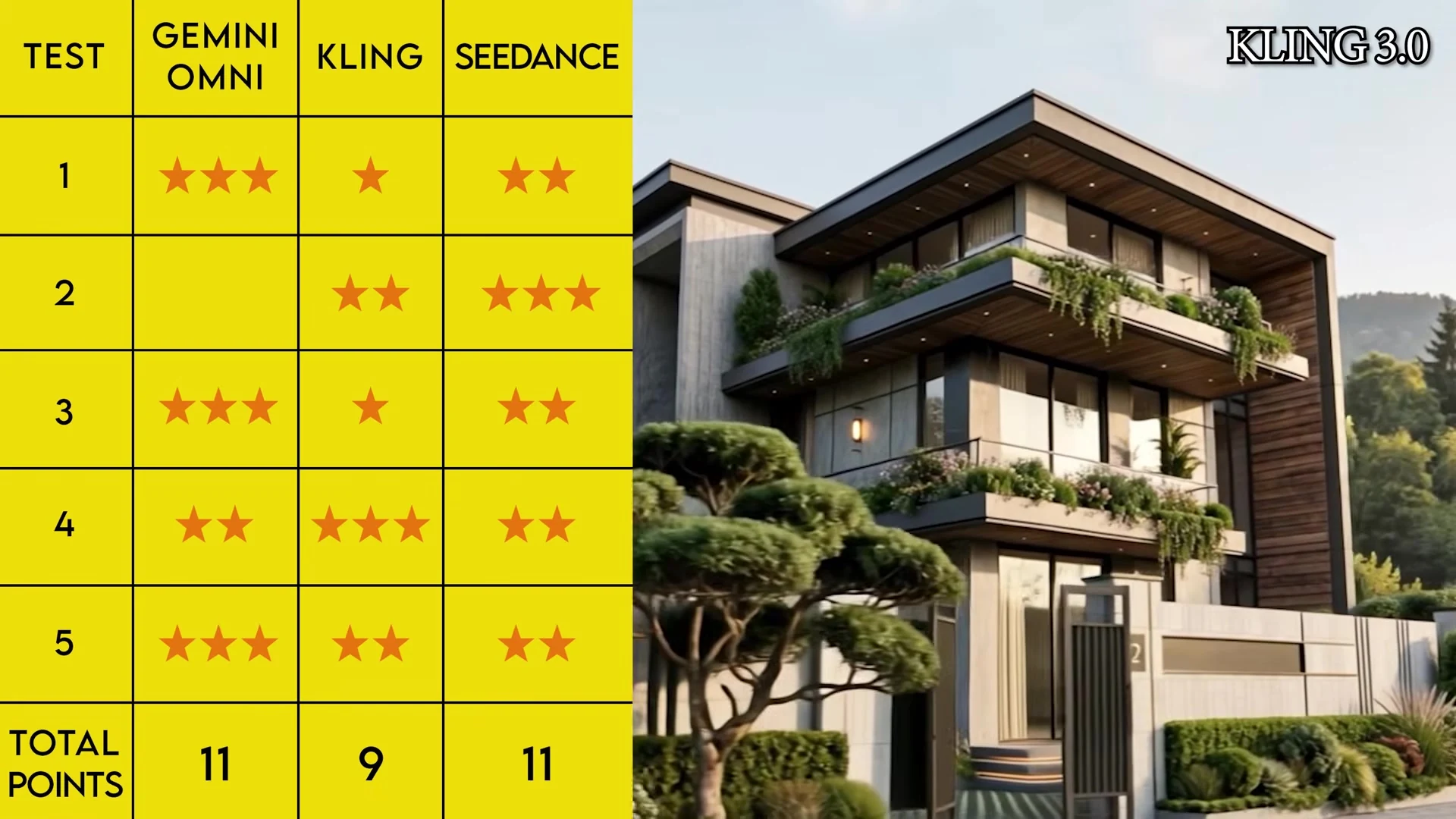
The video’s scorecard gives Omni and Seedance 11 points each, with Kling on 9. Adrian nevertheless selects Seedance as his overall choice because of its versatility across people and architecture. His preference should be read alongside the individual scenarios: Kling is strong in the exterior mood example, while Omni leads several camera and generated-people examples.
Use this comparison to choose a starting engine for a particular shot. Then generate a short candidate with your own references, inspect it against the design and change the engine or preparation if necessary. This approach is more useful than assuming that one model will lead every type of architectural presentation.
VizMaker keeps that comparison connected to the image-editing workflow. Refine a source, try another engine and keep the versions that communicate your design most clearly. Current model availability and credit estimates are shown in the app.
Frequently asked questions
Which AI video model wins the comparison in this tutorial?
Adrian chooses Seedance 2.0 as his overall preference for versatility. The displayed scorecard gives Seedance and Omni 11 points each, and Kling 9. Individual scenario results differ.
Why compare AI video models using the same architectural references?
Consistent references, duration, framing and quality settings make it easier to compare geometry stability, camera movement and human motion rather than unrelated differences in the input.
Does the Omni result mean it can never animate people?
No. In the video, a request using an image with existing people does not complete, while an empty-room request that generates people does. These are observations from the recorded examples; current engine behaviour may differ.
Why do separately generated mood-transition clips sometimes fail to line up?
Different input and output aspect ratios can lead to different framing or added image areas. Align references before generation and inspect the boundary between clips, as illustrated by the tutorial.
Continue your VizMaker workflow
- Seedance 2.5 in VizMaker: Architectural Animation and Construction Timelapses
- Gemini Omni vs Seedance 2.0 in VizMaker: Choosing an AI Video Engine
Bring your next design into VizMaker
Create and refine architectural images, explore 3D workflows and develop your next presentation.
Download VizMakerVideo source: Google Omni vs Seedance 2.0 vs Kling 3.0 | Full Comparison, published 30 August 2026. Source comparison by Adrian Mazur, Adrian Mazur | AI for Architects. Screenshots are extracted from this recording. The article describes the demonstrated version; current engine options and credit requirements are available in VizMaker.

VizAcademy answers your questions: "How do I make my 3ds files smaller? 3d Max rendering files can get big quickly. Smaller render files are obviously easier and quicker to process and share. So how do you keep 3ds files small?

VizMaker for Unreal Engine: AI Visuals for Architectural Storytelling
Add VizMaker to Unreal Engine for AI architectural look development, image-based animation, upscaling and 3D asset concepts alongside your real-time scene.
VizMaker for 3ds Max: AI Rendering, Batch Views and Animation
Explore VizMaker for 3ds Max: send viewports, batch-render camera views, edit interiors, upscale images, create AI animation and generate furniture models.