Build a consistent AI avatar, product photoshoot, edited images, video ad and posters in VizMaker with Anna Jurkowska's practical campaign workflow.
Build a consistent AI avatar, product photoshoot, edited images, video ad and posters in VizMaker with Anna Jurkowska's practical campaign workflow.
Connect Blender views to VizMaker for AI look development, image editing, animation, upscaling and 3D asset generation for interiors and creative scenes.
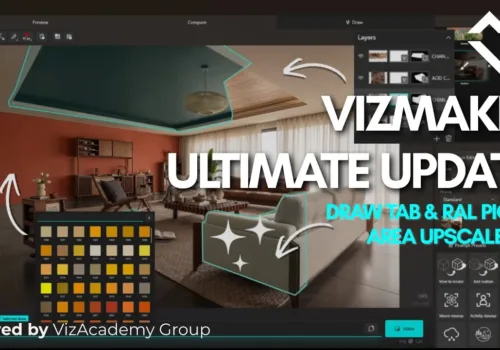
Make focused design revisions in VizMaker: change a sofa fabric, explore RAL wall colours, refine masks and upscale only the detail that needs attention.
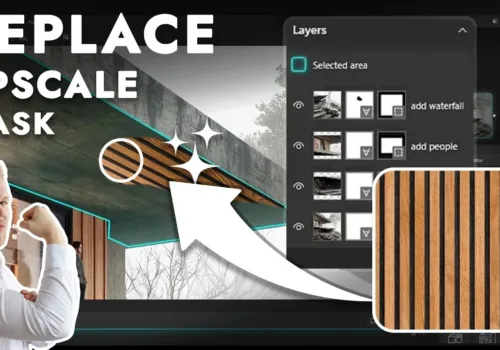
Edit selected areas of architectural renders with VizMaker. Explore layer masks, local upscaling, reference materials, RAL colour choices and 3ds Max VFB.
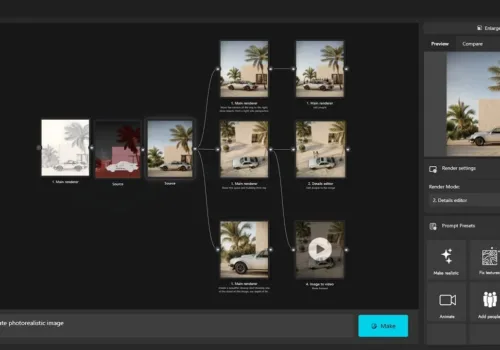
Turn sketches and 3D views into architectural visualisations, guide edits with annotations, upscale details and create animations. Explore VizMaker through Wojciech Jurkowski's practical video demonstration.
Audiovisual art today is based on post-production technology. 3D Post-production is the stage between production – when the project is ready, the recordings for the film are finished, the visualization is done, and the distribution or sale. Regardless of the industry and the project being created, post-production 3D allows you to cover up shortcomings, implement corrections such as better lighting or color intensity, but above all, it gives you the opportunity to supplement the project with additional effects. This is the time when the creators of the project use all the tricks that modern technology gives to embellish and refine the final result.
For audiovisual projects, this is the most demanding stage in the production process. Formerly, post-production in the film industry was based on editing and adding a soundtrack. Today, post-production is primarily working with 3D animations and special effects. At this point, the image that the viewer sees on the screen is created – it is worth noting that it does not have to have much in common with reality – not only in case of films about aliens. The available technology allows the creators to create realistic scenery on the computer screen, which has undoubtedly revolutionized the film and gaming industry. In most modern films, actors play on a uniform, green background, and only during post-production, specialists model the film reality, add effects or fictional characters.
When it comes to 3D post-productions of visual designs from other industries, it’s similar. By creating architectural visualizations in 3D, post-production gives great opportunities to emphasize the project, adding appropriate visual effects, lighting, or background. A customer interested in buying a house will look differently at a building against a white background and a house standing on a green lawn, with a blue sky on a sunny day, and a tree standing next to it. No need for complicated scientific research to prove beautiful visuals that convey a positive mood and the atmosphere that sells better.
In each industry, post-production is based on different technologies, but the premise is the same – make the project more attractive, at the lowest cost, using 3D visualization and animation.
When creating interior designs, post-production is not very extensive because rendering in 3ds Max alone gives great results, not requiring additional work. 3ds Max has some basic 3D post-production functions for navigating through the end of a project.
One of the important aspects in interior design is story telling. Visualization alone is not enough. Taking care of details, such as a steaming mug with coffee or a cat sleeping on the sofa, creates much more than the interior design. Choosing accessories carefully, you can present the dynamics of work in the office, the warmth, and coziness of the house, a romantic evening on the porch, or relaxation and peace in a café. In this way, it affects the emotions of customers, presenting them with a visual concept, not only of space, but also of what life, work, or time spent in a given place will look like.
During the production of the interior, it is worth paying attention to the illumination of the project and possible changes to shadows and light. By subtly adjusting the light and shadows, you can emphasize what you want to make out and push the less interesting aspects of the project to the background. A typical tool for interior post-production will also be the RAW camera in Photoshop, which, among other things, allows you to extract curve editing. It is also possible to darken and lighten the images, which allow you to edit selected 3D elements on a 2D plane.
Color is a powerful and underestimated tool that can freely create the mood of a visualization. During post-production 3D, it is possible to adjust the color intensity. In interior design, we also use Corona Light mix, which allows changing the light to any color and intensity after the render is finished. In this way, it is possible to check and search for the perfect solution for light and color combinations.
Looking at the final effect of the visualization, it may turn out that the frame and its proportion do not meet the expectations 100%. Occasionally, it may happen that the strengths of the frame do not match or are not exposed enough. Cropping is another easy tool that allows you to make eye-catching corrections.
Editing and finishing the exterior design differs significantly from interior design, although at first glance the tools and aspects to be considered are the same. Some options are already available during 3D design, but it is worth leaving them at the end, for the 3D post-production process. In a short time, it is possible to check many options and choose the visually most suitable one.
It is the sky that determines how the exterior design will be received. Time of day, weather, sky color, clouds are additions to the visualization that directly affect the presentation of the project. In addition, they build the mood and atmosphere of the entire visualization: from the calm clear sky during sunset to the dynamic cloudy sky.
Among the extras are also the figures of people. Dynamic designs show people in motion, changeability. Static, calm characters refer to harmony and balance.
As in the case of interior design, editing the grading allow to highlight and distinguish the strengths of the project.
The colors in the 3D post-production exterior are significant, especially in building the atmosphere and connection with the recipient. A great example are films that, through an appropriate color filter, suggest whether it will be a movie with an action taking place in the desert or in the center of a metropolis.
To edit colors, mainly use different options for duplicating layers in photoshop to choose the most advantageous options. We especially recommend the camera raw filter in Photoshop, which allows you to edit colors in a simple and legible way.
The human eye perceives all large objects without any distortion of the perspective. The camera, however, shows us how strongly the buildings can be distorted. Another common problem when post-producing 3D exterior will be perspective convergence.
We divide the work with framing the exterior into arranging the frame and editing the perspective. The basis of good 3D post-production will be vertical correction of the frame to keep it straight without any distortions. Another important aspect is editing the focal length itself and removing the camera distortion.
The principle of post-production in 3ds max is quite simple: it’s a quick basic tool that allows us to understand the potential of future full-blown 3D post-production. At Viz Academy, we use post-productions mainly for various interpretations of buildings and architecture. In the interiors, we use much less post-production because the effect is at a great level. We use Corona Render for basic post-production and Adobe PhotoShop for advanced.
The main changes of Corona Chaos (Corona Render) in terms of post-production in 3ds max is the ability to create tool lists in any number and range. Depending on the level of user experience, 3D post-production tools can be customized. Many functions will be too complicated for beginners, but experienced people will find color, light and shadow editing with excellent accuracy without compromising with 3ds max. The main tools of basic 3D post-production in 3ds max and Corona Chaos (Corona Render) are: