VizAcademy PRO and LITE offer two ways to study architectural visualisation: a seven-week programme with tutor support, or a recorded course followed at your own pace. Choosing between them is primarily a decision about how you want to learn, organise practice and resolve the questions that appear while building a scene.
For an architect or interior designer, the goal might be to present your own proposals more clearly. For a visualisation artist, it might be a stronger image-making process. In either case, it helps to compare the learning format alongside the subjects listed in the course.
VizAcademy PRO vs LITE: the practical differences
The table summarises the distinction on the current VizAcademy enrolment page. Use that page for the live offer and the availability of each group.
| Feature | PRO | LITE |
|---|---|---|
| Structure | Seven-week training programme | Recorded, self-paced study |
| Learning support | One-to-one mentoring and tutor assistance | Tutor support is not included |
| Topics advertised | Interiors, exteriors, AI and animation | Interiors, exteriors, AI and animation |
| Additional resources | Software access and 3D resources described in the PRO offer | Software and 3D models are not included |
| Certificates | VizAcademy and Autodesk certificates on completion of the specified training | Certificates are not included |
The two formats should not be assumed to have identical support or every resource in common. Review the inclusions that matter to your situation before enrolling, especially if you need software access or a certificate.
When tutor-supported 3ds Max training is useful
A tutorial can explain how to perform an operation. Applying it to your own scene may raise a different problem: the model behaves unexpectedly, a material looks wrong or the composition feels flat. 3ds Max training with mentoring provides a place to discuss that specific difficulty.
VizAcademy’s description of its learning cycle includes three online conferences each week, recordings for later viewing, video tutorials, everyday task assistance and homework review. Those elements create regular opportunities to connect a lesson with the work you are actually making.
Make those opportunities useful by bringing a focused question. Instead of asking only whether an image looks good, explain the intended mood or design feature and identify the part that is not convincing. A precise question makes it easier to turn feedback into a concrete next step.
When a self-paced ArchViz course may fit better
A self-paced architectural visualisation course can suit someone who needs flexibility in the order and timing of study. You can return to a recorded topic and practise it around your own schedule. In the LITE format, responsibility for keeping that practice moving sits with the learner.
Consider how you currently handle a difficult software problem. Do you enjoy investigating it independently, or do you tend to stop when you are unsure what to try next? This is often a more useful question than simply deciding whether you are a beginner or an experienced user.
If you choose independent study, give each session a defined output: one modelled detail, one lighting comparison or one revised image. Keep a short record of what changed and why. That provides a practical structure even when there is no scheduled feedback session.
Look for a learning process, not only an attractive final image
Student work can help you judge the visual standards and range of a school. The examples below come from the same project in VizAcademy’s published portfolio: a clay view and a finished interior by Brina Gluvič.
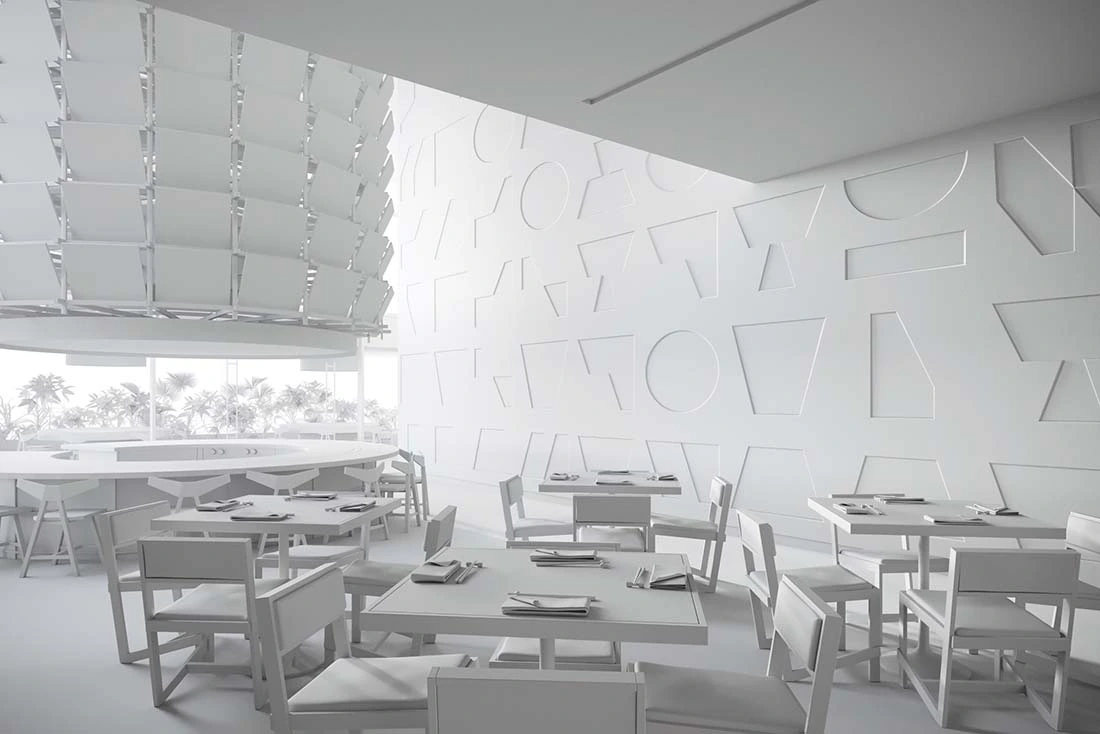
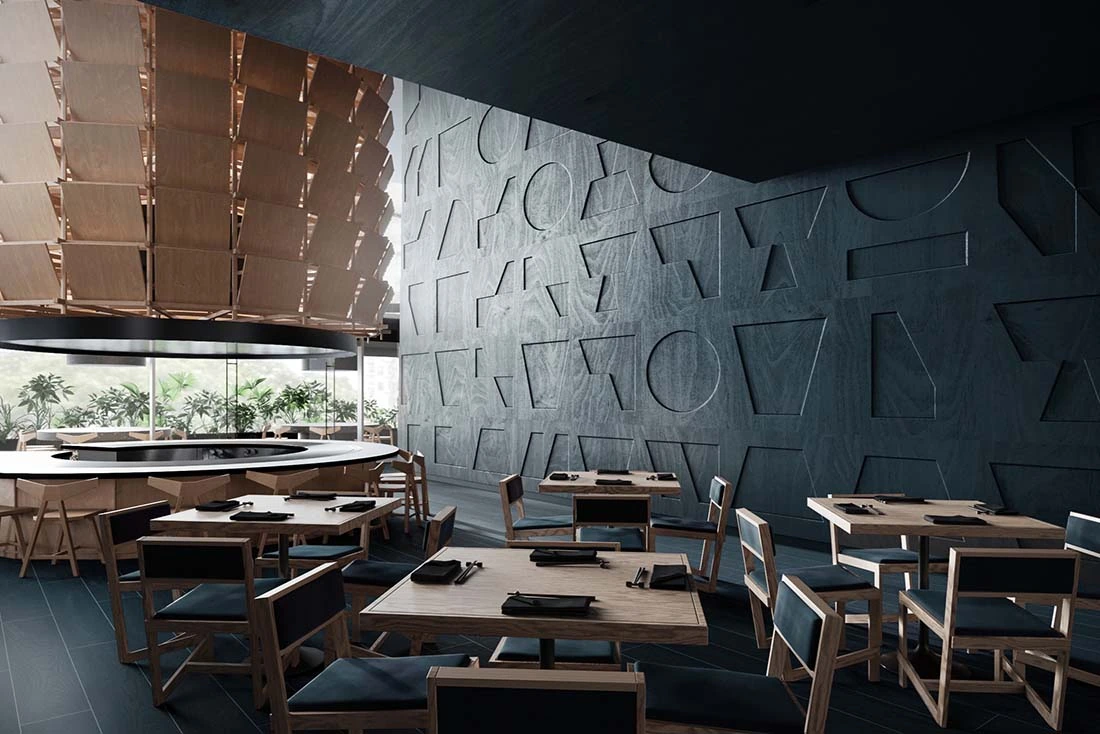
The comparison makes several decisions easier to see. The camera establishes the relationship between the tables, glazing and feature wall. The finished materials and lighting then give those forms a different visual character. Looking at both views helps you ask how an image was developed, as well as whether you like the result.
Explore the student portfolio for further examples and attributed work. Individual projects illustrate possibilities; your own progress will also depend on your starting point, practice and the time you can give the course.
Match your schedule to the way you want to learn
Before choosing an online 3ds Max course, make room for practical work as well as watching lessons. Reserve time to repeat a method, apply it to a different object and revise the result. Watching a demonstration and being able to reproduce a useful outcome are different stages of learning.
- Consider PRO if you value a scheduled programme, individual guidance and regular discussion of your work.
- Consider LITE if independent study suits you and you are comfortable organising practice and troubleshooting without included tutor support.
- Check the resources you already have, including suitable software and a working setup, against the current course inclusions.
For the subjects covered across the seven weeks, read our guide to the VizAcademy PRO programme. The software page explains the tools used in the school’s visualisation workflow.
Check the current offer before making your choice
Course prices, payment options and group availability can change. The Available Dates page is the place to check those details. If an inclusion or timetable requirement is important to your decision, contact VizAcademy through the site before enrolling.
Frequently asked questions
What is the main difference between VizAcademy PRO and LITE?
PRO is a seven-week training format with tutor support and one-to-one mentoring. LITE is a recorded, self-paced course without the support and additional inclusions listed for PRO.
Does VizAcademy LITE include certificates or software?
The current enrolment page states that LITE does not include tutor support, software, 3D models or certificates. Check the live offer before purchasing.
What happens if I miss a PRO live conference?
VizAcademy's training description says that recordings of the online conferences are available for later viewing.
Where can I check course prices and the next PRO group?
Use VizAcademy's Available Dates page for current prices, payment options, group dates and availability. Those details can change independently of this guide.
Choose your VizAcademy training
See the current PRO and LITE offers, available groups and enrolment details.
View Courses & Available DatesInformation reviewed: 29 October 2026. Based on the official training programme, tutor and learning-cycle description, software overview and PRO and LITE offer. Refer to those pages for the current curriculum and inclusions. Cover image: student work by Irene Kafa, from the VizAcademy student portfolio.
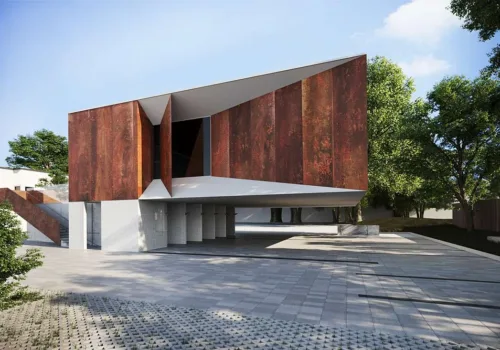
VizAcademy PRO or LITE? How to Choose Your Online 3ds Max Training
Compare VizAcademy PRO and LITE: tutor-supported ArchViz training or self-paced study. Understand the support, resources and learning format before enrolling.
From Architectural Drawings to an AI Skyscraper Presentation
Follow an AI skyscraper case study from architectural drawings to 3ds Max, Google Earth, VizMaker renders and animation—with practical modelling lessons.

Computer graphics and various types of 3D visualisations, photographs and animations make use of all sorts of advanced software, applications and tools that enable people to work on their own projects much more easily and pleasantly.